Yes, if
Your Strategy trades US-listed stocks as a Pine Script Strategy on TradingView and fires webhook alerts. Which brokerage executes your own trades is your business.
The stocks route is the Algo route with three things that are different: the symbols are US-listed securities, leverage is capped where Regulation T caps it, and the market has a trading session. This page walks the whole route in order, from your brokerage account to Go Live, and says which of those things Triggon checks and which it leaves to you.
TradingView is the example here, not the requirement. Triggon authenticates the request and reads its JSON; it does not check what sent it. Your own server, a Python or Node.js bot, or another platform that can send the same authenticated webhook connects the same way. See how the connection works.
This route is not open for new applications right now. This market is not taking new applications yet: no symbol is open in it. The picker shows what is open on the other routes.
Sample. Enabled symbols and the ceiling are read from the platform's settings.
Your Strategy trades US-listed stocks as a Pine Script Strategy on TradingView and fires webhook alerts. Which brokerage executes your own trades is your business.
Your instruments are not US-listed (Triggon's stocks list is the US exchange operators' own directory), or you take the trades by hand, in which case the stocks Manual guide is yours.
Same route, different guide: crypto, forex, commodities.
Eleven steps; seven before the application, four inside Triggon. The application's route screen shows the same list.
Any system that can send an authenticated HTTPS webhook when your Strategy acts: a Pine Script Strategy on a TradingView plan that can fire webhook alerts, your own server or bot, or another platform that can POST JSON. It must cover the symbols you will declare. Triggon never sees your Strategy, only the Signals it sends.
The brokerage where you trade US-listed stocks is yours to choose. Triggon does not connect to it; it is an optional fact on your card.
Pick your US-listed symbols from the application's picker, which shows what is open to declare as you fill it in. Available now: shown in the application. You can declare up to 1 in one application.
One alert per declared symbol, firing on entries, stops, targets and exits, with the message shape Triggon reads. The private connection it points at is issued in your Provider Hub after approval.
A TradingView Strategy Tester export (CSV), or a MetaTrader 5 Strategy Tester or History report saved as HTML or XLSX with the terminal language set to English.
Your public name, a one-line summary, a full description, optional links and images. Subscribers read this before they subscribe.
The Hub creation cost, its validity period, the minimum subscription prices for this market and the platform fee are all stated before you apply, from the current platform settings.
The form collects what you prepared and validates it. The Hub creation cost is charged from your Triggon wallet when you submit.
An admin approves, asks for revisions or rejects, always with a reason. Resubmitting after a revision request is free.
After approval: copy the private connection details, send a test alert for every declared symbol in test mode, verify the health check, then press Go Live.
Go Live lists the Strategy on the Marketplace with the price and seats you set. Every Signal from then on is recorded permanently.
What you need. A Strategy that runs on its own and can send Triggon an authenticated webhook when it acts. On TradingView that means a Pine Script Strategy (one that places orders in the Strategy Tester, not only an indicator) on a chart of each symbol you will declare, on a plan that can send webhook alerts. A Strategy that runs anywhere else, on your own server or inside a bot, sends the same request itself and needs no TradingView plan at all: see connect the Strategy you already have. The rest of this section walks the TradingView path, because it is the common one.
Which chart. The listing exchange's feed, for example
NASDAQ:AAPL or NYSE:KO. Triggon strips the exchange prefix and
reads the ticker (AAPL), which is how it is spelled on Triggon's list. With your
Strategy's per-symbol connection the symbol is fixed by the connection and the alert need not
name it.
Cash equity or derivative. Spot on this route means the cash equity, bought and held, on Regulation T margin of at most 4×. The "Futures" option means an equity derivative (futures or CFDs on the underlying); the same ceiling applies to what you may declare, because that is what a subscriber's account can honour.
Sessions and your alerts. Your Strategy should fire inside the regular session unless you deliberately trade extended hours; a Signal fired outside the session is recorded at the price your alert carries, but stop and target monitoring and charts depend on a live price, and a closed-market price is refused rather than used.
Alert coverage. Entries, stop and target updates, partial closes, target hits, stop hits and closes. The TradingView page lists what each alert can express.
Required for your own trading. Not required by Triggon.
Optionally, the name of your brokerage, chosen from a list, shown on your Marketplace card as a fact about where you trade. Nothing else. Triggon never asks a Provider for brokerage credentials or API keys, and never connects to the account.
Some brokers offer stock CFDs through MetaTrader 5. That changes nothing on this route: your Signals still reach Triggon from TradingView, and the terminal's Strategy Tester or History report is accepted as backtest evidence, as it is on the forex route. MetaTrader 5, explained from the start →
A margin account if your Strategy shorts or uses leverage; a cash account is enough for long-only. These are between you and your broker, and Triggon does not verify them. What Triggon does verify is that the maximum leverage you declare is within the ceiling.
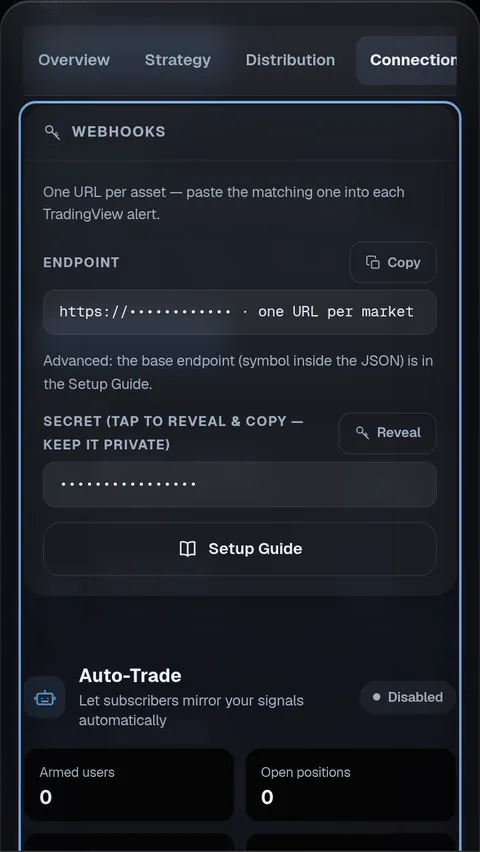
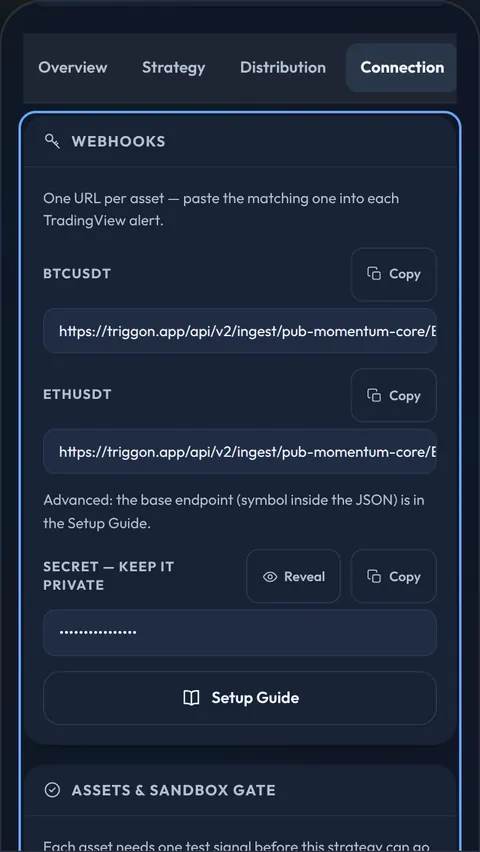
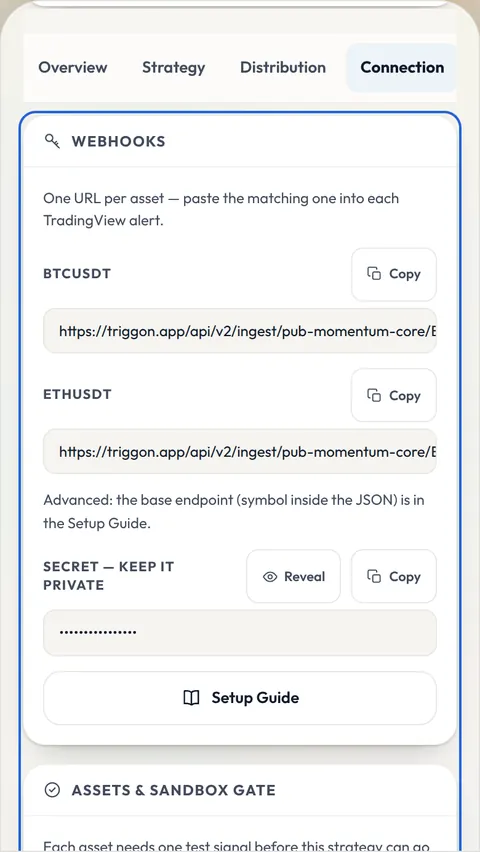
Your Strategy's private connection and secret are issued in the Provider Hub after approval, shown to nobody else, and rotatable at any time.
Write the alert message in the shape Triggon reads (event type, symbol, side, price,
stop, targets and sizes, and a timestamp from TradingView's
{{timenow}} placeholder) and confirm in the alert log that
your Strategy fires on the events you expect, inside the session you expect.
One private connection per declared symbol and a secret, issued in the Connection tab of your Provider Hub, with ready-made alert messages. One alert per chart.
Parses and validates an alert completely and stores nothing. Every declared symbol must pass before Go Live. A refusal names its reason.
The connection itself. Test the alert events, the numbers and the backtest export before you apply; the connection test comes after.
Set the Strategy Tester's initial capital to $10,000, then List of Trades → Export (CSV), one file per symbol, with the symbol in the file name.
If your backtest lives in a MetaTrader 5 Strategy Tester, export its report as HTML or XLSX with the terminal language set to English, or a History report from a demo or live account. The step-by-step export →
Preview before you submit: the application shows how the file was read before anything is stored. Imported history is marked as imported and does not count towards the Verified checkmark. What Verified means →
Your name, email and country come from your Triggon Profile and are shown read-only in the application.
A unique English name, a one-line summary, a full description, up to three trading styles, a risk level, and the cadence.
Optional website and social handles, a logo, a banner, a profile picture and a cover image.
Read live from the platform settings, per category.
An illustration computed from the live fee rate, not a forecast or a guarantee. Actual earnings depend on filled seats, cancellations and refunds, promotions, and any automatic Hub top-up. What decides what you earn →
Opened in Telegram. It confirms the route you chose here, links this guide on every step, and labels the venue field Broker, never Exchange.
Provider info, then the Strategy: name, summary, description, styles, risk level, market: Stocks (fixed from your route), cash equity or derivative, position mode, the symbols from the picker, your broker (optional), timeframes, the leverage mode and band (within 4×), the take-profit method, the maximum capital risk per position, prices and seats. Then the uploads, branding, operations and the review. You are not asked what fees to assume: Triggon applies the same fee assumptions to every Strategy, so published results stay comparable.
No brokerage credentials, no API keys, no connection details. No take-profit ladder; no drawdown claim.
Every step is saved on the server; you can leave and return with your route, market and answers preserved. Nothing sensitive is stored in your browser.
The checklist at the end of this page, confirmed item by item, and the fees shown once more. Then Submit and Pay.
Every Signal from Go Live on is permanent and public. Your share of each subscription lands in your wallet. After 20 closed trades over 30 live days the Strategy is ranked by its Triggon Score.
Complete Signals with a stop and at least one target, managed to a close. Keep the Strategy running through the trading week; a silent Strategy is warned, then suspended with its subscribers told.
Prices (above the minimum), seats, pausing, Hub recharges: yourself. Description, links, images and declared trading facts: reviewed first.
The route (Algo), the market (stocks) and the instrument type. A different route or market is a new Strategy.
The items the application asks you to confirm before Submit and Pay on the stocks Algo route.